Entering Billing Information
The billing information section is where you select your billing method and enter your payment details. By default, Auto Replenishment is selected. You may unselect Auto Replenishment to make a one-time payment.
To enter the billing information
-
Select a Billing Method.
-
Credit Card
-
Bank Account
-
Apple Pay
-
Google Pay
-
PayPal
-
-
Select or enter any fields related to your Billing Method.
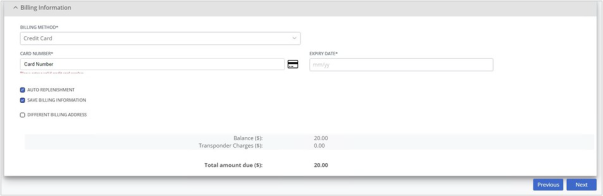
The screenshot below shows the fields you see when you select Credit Card as the Billing Method.
-
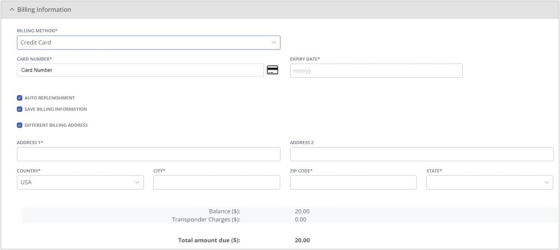
If the billing and primary addresses are different, select the Different Billing Address checkbox.
If the billing and primary addresses are the same, skip to step 6.
-
Enter the street address.
A list of matching addresses displays.
-
Select the matching address.
The Country, City, ZIP Code, and State are auto-populated.
Note: You can also enter the details manually.
-
Click Next.
The Terms & Conditions screen displays.